What Are the Top Industrial Panel PCs?
Industrial Panel Pc selection depends on where the screen will work, not just its size or price. A food-processing line may need a sealed front that wipes clean, while a machine shop may expose the display to vibration, dust, and gloved hands. The best options are not identical. They balance readability, touch response, processing capacity, and mounting needs for a specific task. A bright screen can still disappoint if reflections hide alerts beneath overhead lights.
This guide explores what makes leading industrial panel PCs worth considering and how to compare them in practical terms. It covers screen sizes, touch technologies, processor options, operating-system support, connectivity, and enclosure ratings. These details matter when a unit must connect to PLCs, scanners, cameras, or existing control software. Check temperature limits and service availability, too. Small details count. A poorly placed connector can complicate installation, while extra ports may simplify future upgrades. Industrial Panel Pc specifications can look impressive on a product page, but suitability depends on the environment and workload. No single model fits every plant. Treat rankings and buying guidance as a starting point, not a substitute for checking datasheets, testing interfaces, and confirming long-term support. That takes time. It is easy to overlook, and worth doing before deployment.
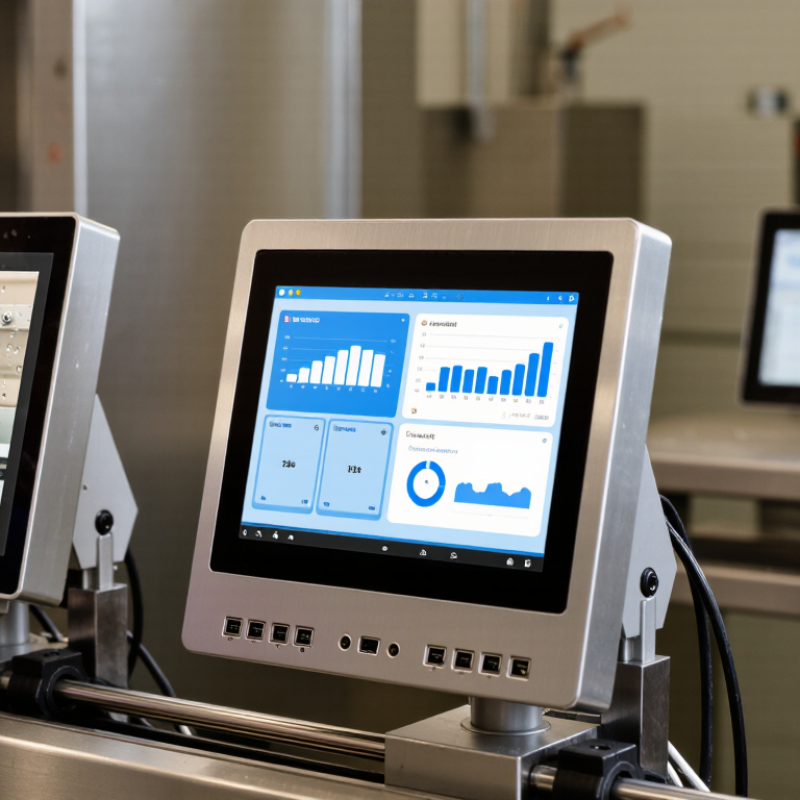
Table of Contents [Hide]
Industrial Panel PCs: Core Components, Functions, and HMI Applications
What Are the Top Industrial Panel PCs?
Industrial Panel PCs: Core Components, Functions, and HMI Applications
A capable industrial panel PC combines a processor, memory, storage, display, touch sensor, and industrial I/O in one enclosure. The processor runs control and visualization software; Ethernet, serial ports, and fieldbus interfaces connect it to equipment. In a factory, an operator might use a 15-inch touchscreen to adjust a conveyor speed, check an alarm, and review a production count. Clear displays and responsive touch matter. So does reliable operation around vibration, dust, and temperature changes. Fanless cooling can reduce moving parts, but enclosure design still affects heat dissipation.
The hardware supports human-machine interface (HMI) tasks such as machine setup, process monitoring, alarm handling, and data entry. Grand View Research estimated the global industrial PC market at about US$5.1 billion in 2023. IDC separately forecast worldwide edge-computing spending of US$232 billion in 2024, reflecting wider demand for processing near equipment. That figure covers edge computing broadly, not panel PCs alone. It offers context, not a direct sales comparison.
In practical selection, match screen size and brightness to viewing distance and factory lighting. Check ingress protection, operating temperature, touch behavior with gloves, and the interfaces required by existing controllers. An IP rating does not guarantee resistance to every cleaning chemical. Worth checking. A specification sheet cannot show whether an interface remains usable with wet hands or under glare. That gap deserves a real-site test.
What Are the Top Industrial Panel PCs? - Industrial Panel PCs: Core Components, Functions, and HMI Applications
| Panel PC Class | Typical Display and Touch | Core Computing Components | Common Protection and Mounting | Key Functions | Typical HMI Applications | Best Fit |
|---|---|---|---|---|---|---|
| Compact Operator Panel | 7–10.1-inch LCD; typically 800 × 480 to 1280 × 800; projected-capacitive or resistive touch | Low-power x86 or ARM processor; typically 2–8 GB RAM; solid-state storage | Panel or VESA mounting; front protection commonly IP65 when correctly installed | Displays machine status, alarms, basic recipes, and operator controls; supports connection to a PLC or controller | Packaging machines, small production lines, pump stations, and local equipment control | Space-limited installations with a focused set of screens and controls |
| General-Purpose Industrial HMI | 12.1–15.6-inch LCD; commonly 1280 × 800 or 1920 × 1080; capacitive or resistive touch | Industrial x86 processor; typically 4–16 GB RAM; SSD or other solid-state storage | Panel, VESA, or arm mounting; front-face sealing often rated IP65 on suitable models | Runs visualization software, production dashboards, alarm handling, and data logging | Machine operation, assembly lines, process monitoring, and production reporting | Everyday factory-floor HMI tasks requiring a balance of screen area and computing capacity |
| High-Performance HMI Workstation | 15.6–21.5-inch LCD; typically Full HD; multitouch is common | Higher-performance x86 processor; typically 8–32 GB RAM; SSD; optional graphics capability | Panel, VESA, or pedestal mounting; protection varies by enclosure and installation | Handles richer graphics, multiple dashboards, local data processing, and several software applications | Large-machine control, plant-floor supervisory screens, quality stations, and data-intensive visualization | Applications needing larger interfaces or more processing headroom |
| Rugged Washdown Panel PC | 10.1–21.5-inch LCD; touch technology selected for operation with gloves or in wet conditions | Low- to mid-range x86 or ARM processor; solid-state storage; fanless design is common | Sealed front or fully sealed enclosure; higher ingress-protection ratings are available on purpose-built designs | Provides operator control in wet or dusty areas; supports sealed cleaning-friendly installation when designed for it | Food and beverage production, pharmaceutical areas, and washdown processing lines | Environments where cleaning procedures and exposure to moisture or dust are key requirements |
| Open-Frame Integration Panel PC | Typically 10.1–21.5-inch LCD; resistive or capacitive touch, depending on the user interface | Configurable x86 or ARM platform; memory and storage selected for the application | Designed for integration into a cabinet, kiosk, or custom machine enclosure; protection depends on the finished assembly | Combines a display and computer in a compact unit for custom equipment interfaces | Machine builders, industrial kiosks, test equipment, and embedded control stations | OEM systems requiring a tailored bezel, enclosure, or installation method |
Selection note: Specifications vary by model and installation. Confirm operating temperature, environmental rating, touch performance, communication ports, and software compatibility for the intended application. An IP rating applies only to the stated enclosure or surface under specified installation conditions.